- Most UK small businesses fail to establish online presence because they postpone launching, seeking perfection.
- A simple, fast, mobile-friendly website answering essential customer questions often outperforms complex, delayed sites.
Customers search online before they pick up the phone. If your business has no website, or one that looks like it was built in 2009, you are losing work to competitors who simply showed up on Google first. The good news is that getting a clean, professional, mobile-friendly site live does not require a big agency budget or months of back-and-forth. This guide gives you a straight, practical plan to go from nothing to a working business website in a matter of days, without wasting money or getting lost in technical jargon.
Table of Contents
Key Takeaways
Local domains matter
A .co.uk domain builds trust and boosts your Google indexing with a UK audience.
Affordable platforms exist
Builders like Wix, GoDaddy, and Squarespace make launching quick and cost-effective for small businesses.
Security is non-negotiable
SSL certificates and privacy policies are required for customer trust and UK law.
Simple is best
Get a basic, clear, mobile-friendly site live quickly — don't let perfection block progress.
What you need before you start
Before you touch a website builder, spend an hour getting organised. The businesses that launch fastest are the ones that arrive prepared. Trying to make decisions about your brand, goals, and legal requirements mid-build is what causes projects to stall for weeks.
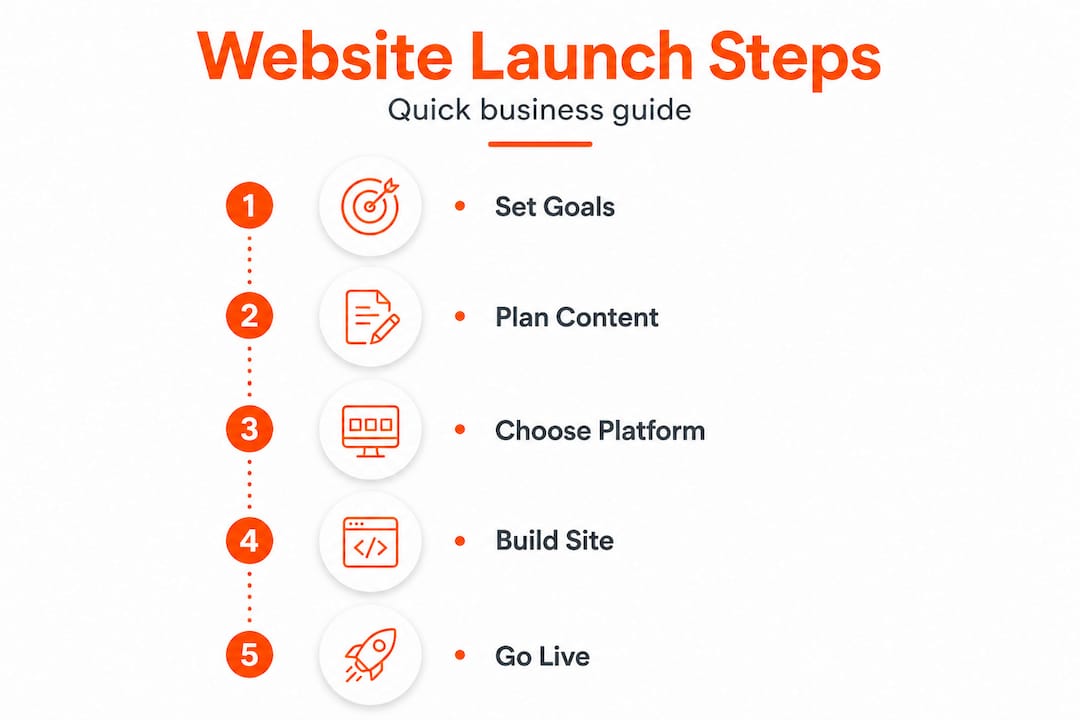
Start with your goals. Ask yourself what you want the site to actually do. Do you want people to call you, fill in a quote form, or find your address? Every page you build should serve at least one of those goals. Then gather your brand assets: your logo (or a decision about colours and fonts if you do not have one yet), a short description of what you do, your service area, and at least a handful of decent photos. Smartphone photos taken in good light are perfectly acceptable to start with.
Define your goals, secure a domain, and understand your privacy and security obligations before you write a single word of content. These three decisions shape everything else.
Domain name: For UK businesses, a .co.uk domain builds local trust and signals to Google that you serve a British audience. It is also typically cheaper than a .com. Aim for something short, easy to spell, and close to your business name.
Legal and compliance requirements you cannot skip:
- A privacy policy explaining how you collect and use visitor data (required under UK GDPR)
- An SSL certificate (the padlock in the browser bar) to encrypt data and reassure visitors
- A cookies notice if your site uses tracking or analytics
- An accessibility statement if your site is likely to serve a broad public audience
| Asset needed | Why it matters | Where to get it |
|---|---|---|
| Logo or brand colours | Consistent, professional look | Canva (free) or a local designer |
| Business photos | Builds trust and reduces bounce rates | Smartphone or a local photographer |
| Service descriptions | Core content for your pages | Write from scratch or use AI drafting tools |
| .co.uk domain | local website content and credibility | GoDaddy, 123-reg, or Namecheap |
| SSL certificate | Security and Google visibility signal | Usually included with paid hosting plans |
| Privacy policy | UK GDPR compliance | Free generator tools online |
Write your "About" and "Services" content in a simple Word document before you open any website builder. Copying in finished text is ten times faster than trying to write directly inside a builder interface.
Choosing the best platform and tools for your business
With your assets ready, it is time to pick the right tools for the job. The platform you choose affects how quickly you can launch, how much you pay each month, and how easy the site is to update yourself going forward.

Wix, Squarespace, GoDaddy, and WordPress are the most cost-effective, mobile-ready platforms available to UK small businesses right now. Each has its strengths depending on your technical confidence and budget.
| Platform | Monthly cost | Ease of use | Mobile templates | UK support |
|---|---|---|---|---|
| Wix | £9–£17 | Very easy | Yes, automatic | Yes |
| Squarespace | £11–£18 | Easy | Yes, automatic | Yes |
| GoDaddy | £10–£13 | Very easy | Yes, automatic | Yes |
| WordPress (self-hosted) | £5–£10 (hosting only) | Moderate | Depends on theme | Community forums |
For most tradespeople and local service providers, Wix or GoDaddy offer the fastest path to a live site. Their drag-and-drop editors mean you can customise a template without knowing any code. Squarespace is worth considering if visual presentation matters more to your brand, such as for interior designers or photographers.
WordPress gives you more long-term flexibility, and it powers a huge proportion of the web. However, it requires more setup time and ongoing maintenance. If you are exploring website options for builders or trades businesses, a simpler builder often serves better than a complex WordPress installation.
What to look for when choosing:
- Templates designed for your industry or a similar service business
- Built-in mobile responsiveness (every reputable paid plan includes this)
- GDPR-friendly cookie and privacy tools
- A custom domain included or available to connect
- Clear UK pricing with no hidden renewal costs
What to avoid:
- Free plans that display the builder's own adverts on your pages
- Free plans that force a subdomain like yourbusiness.wixsite.com instead of yourbusiness.co.uk
- Platforms with no UK customer support if you are not confident troubleshooting alone
If you go with WordPress, keep your plugin count below ten. Every plugin adds code that can slow your site, create security vulnerabilities, and cause conflicts after updates. For a Wetherby web design project we reviewed, a site with 34 plugins loaded in over eight seconds on mobile. Trimming to nine essential plugins cut that to under two seconds.
Step-by-step: building your business website
Having chosen a platform, you can now follow a straightforward process to bring your site online. This is the part most people overthink. Keep it simple and move forward.
- Register your domain using a registrar like 123-reg or Namecheap. Do this before anything else because good names go quickly.
- Set up hosting if your platform requires it separately (relevant mainly for WordPress). Most builders like Wix and Squarespace include hosting in the subscription.
- Choose a template that matches your industry. Do not spend more than 30 minutes on this. You can always change it later, and content matters far more than template choice.
- Build your core pages: Home, About, Services, Contact. Add a Testimonials or Gallery page if you have the material. Most local businesses need no more than five to seven pages to start.
- Write clear, plain-English content. Every page should answer: what you do, where you work, and how to get in touch. Avoid jargon. If you offer tiling services, say "professional tiling across Sheffield and South Yorkshire" rather than "bespoke surface installation solutions."
- Add your images. Compress them before uploading using a free tool like Squoosh. Large image files are one of the most common causes of slow-loading pages.
- Set up basic page setup basics. Give every page a unique title tag and meta description that includes your service and location. For example: "Plumber in Leeds | Emergency callouts and boiler repairs."
- Test on mobile before you publish. Open the preview on your phone. Check that buttons are easy to tap, text is readable without zooming, and your phone number is clickable.
- Activate SSL. On most paid plans this is automatic. Confirm the padlock appears in your browser bar before going live.
- Publish and promote. Share the link on your social media, add it to your Google Business Profile, and put it on any printed materials.
"Your website is often the first impression a potential customer gets of your business. A slow, broken, or unprofessional site is worse than no site at all because it actively destroys trust."
| Page | Primary goal | Must include |
|---|---|---|
| Home | Grab attention, explain value | Headline, services summary, CTA button |
| About | Build trust | Your story, credentials, photo |
| Services | Convert visitors | Clear descriptions, pricing if possible |
| Contact | Generate enquiries | Phone, email, form, Google Maps embed |
For businesses in South Yorkshire, our Sheffield web launch advice covers local website content specifics worth reading before you publish.
Common mistakes and how to avoid them
Even the quickest website builds can run into avoidable setbacks. Here is how to spot and steer clear of them.
The biggest mistakes UK small businesses make:
- Staying on a free plan. Free builder plans harm your credibility with competitor adverts and prevent you from using a custom domain. Upgrading to a paid plan typically costs less than £15 per month and removes both problems immediately.
- Skipping the privacy policy. Under UK GDPR, any site that collects personal data (including a contact form) must have a privacy policy. Ignoring this is a legal risk, not just a technical oversight.
- No SSL certificate. Google flags sites without SSL as "Not Secure" in Chrome. Visitors see that warning and leave. Most paid plans include SSL automatically, but always verify it is active.
- Too many plugins on WordPress. Excess plugins slow your site and create security gaps. Audit yours regularly.
- No mobile testing. Over 60% of UK web traffic now comes from mobile devices. A site that looks great on a desktop but breaks on a phone is failing the majority of your visitors.
- Ignoring accessibility. The Web Content Accessibility Guidelines (WCAG) are not just good practice. For many UK businesses, meeting basic accessibility standards is a legal expectation. Use sufficient colour contrast, add alt text to images, and make sure forms are keyboard-navigable.
Use Google's free PageSpeed Insights tool to test your site after launch. It scores both mobile and desktop performance and tells you exactly what to fix. Aim for a mobile score above 70 before you start promoting the site.
"A site that loads in under three seconds converts significantly better than one that takes five or more. Speed is not a technical luxury. It is a business requirement."
For a real-world look at how these mistakes play out locally, the Barnsley web design guide covers several cases where simple fixes dramatically improved results.
What success looks like: launch, promotion, and measuring results
With the site live, let us cover how to get it in front of your market and make sure it is doing what you need.
A successful launch is not just pressing publish. After launch, promotion, Google Search Console setup, and performance monitoring are what turn a new website into a steady source of enquiries.
Your post-launch checklist:
- Set up Google indexing. This is free and puts your business on Google Maps. Add your website URL, opening hours, service area, and at least five photos. Businesses with a complete profile receive significantly more clicks than those with partial information.
- Submit your sitemap to Google Search Console. This tells Google your site exists and asks it to index your pages. It is free and takes about ten minutes.
- Share on social media. Post your new site on Facebook, Instagram, or wherever your customers spend time. Ask satisfied past customers to leave a Google review and mention your website.
- Add your URL everywhere. Email signature, van livery, business cards, invoices. Every touchpoint is a chance to drive traffic.
- Monitor with Google Analytics. Set up the free GA4 tracking code and check it weekly. You want to know how many people visit, which pages they read, and whether they contact you.
- Plan your first update. Add a new photo, a fresh testimonial, or a seasonal offer within the first month. Google notices sites that are updated regularly and rewards them with better visibility over time.
For businesses in South Yorkshire, Rotherham business launch tips include specific local directory listings that can give your new site an early boost.
A well-structured local business website with Google indexing integration can start appearing in local search results within two to four weeks of launch. That is not a guarantee, but it is a realistic expectation if your basic page setup basics are in place.
The truth most guides miss: simple beats perfect for business websites
Here is something worth saying plainly. The single biggest reason small business owners in the UK do not have a working website is not cost, and it is not technical difficulty. It is perfectionism.
We have spoken with dozens of tradespeople and local service providers who have been "working on" their website for six months or more. They are waiting for the perfect logo, the perfect photos, the perfect copy. Meanwhile, a competitor with a basic five-page site built in an afternoon is picking up every Google search in their area.
What customers actually care about when they land on your site is remarkably simple. They want to know what you do, where you work, whether you look trustworthy, and how to contact you. That is it. A clean, fast, mobile-friendly site that answers those four questions will outperform a visually stunning site that takes three months to launch every single time.
The builders' experience with simple sites backs this up consistently. A one-page site with a clear headline, a phone number, and a handful of before-and-after photos generates enquiries. A complex site with animations, a blog, and twelve service pages that never gets finished generates nothing.
Launch lean. Add features once you have real customer feedback telling you what they actually want. Your website is a business tool, not a portfolio piece. Treat it accordingly.
Frequently asked questions
How much does it cost to create a basic business website in the UK?
Most small business sites can launch for £100 to £300 per year, with DIY builder subscriptions typically costing between £9 and £17 per month depending on the platform and plan you choose.
Do I need a .co.uk domain for my local business website?
A .co.uk domain improves local trust, brand recognition, and search engine visibility for UK audiences, making it the recommended choice for most British businesses.
What legal and privacy steps must my UK business website follow?
You must comply with UK GDPR requirements, display a privacy policy, activate an SSL certificate, and include a cookies notice if you use any tracking or analytics tools.
What is the fastest way to get a professional-looking website live?
Use a reputable builder such as Wix, Squarespace, or GoDaddy with a pre-designed template, add your business details and content, and most sites can be published within two to three days. Or — if you'd rather hand it off entirely — Swift7 builds and launches your site in 7 days for £450, all-in.